Manage local music and files with encrypted storage and LAN transfers
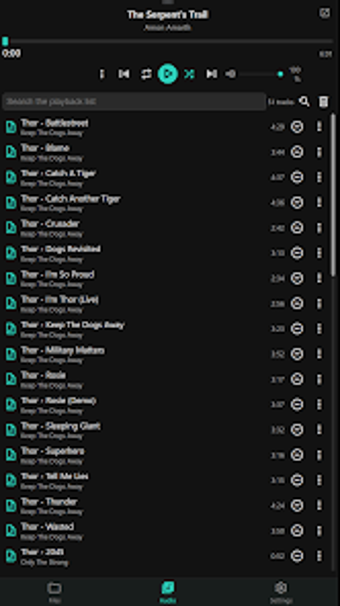
Manage local audio libraries while playing gapless tracks, editing tags in bulk, and moving files over a local network using LAN Beam. Audio & File Manager, from Coredump OTS, blends a file manager and a full-featured music player into a privacy-first utility. Key capabilities include batch metadata editing, an audio clean-up tool for duplicates and corrupt files, and a radial drag-and-drop menu. It suits Android users who keep large offline music collections and want local control.
What the app does and who it targets
The tool merges file management with advanced audio playback. It supports standard file operations such as copy, move, rename, delete, and ZIP archiving while offering playback features like gapless playback, crossfade, and an equalizer. The app targets Android users with large offline music collections who prefer on-device control, and it operates on devices running Android 7.0 and up.
Does it affect device security or privacy?
Privacy is enforced by design. The app uses a zero-cloud architecture with no ads, no tracking, and no accounts, and it provides a Secure Folder that stores files in encrypted form unlocked by biometric or device lock. Those facts indicate local-only storage and device-level encryption, which keeps media and metadata confined to the handset or local network.
How usable and technical is the interface?
The interface balances direct control with specialized tools. It exposes a radial menu for drag-and-drop file moves, a batch tag editor for simultaneous metadata and cover-art updates, and an Audio Clean-up tool that finds duplicates, corrupted files, and empty folders. LAN Beam transfers files directly to Windows over a local network. Casual users can perform basic file tasks, while the batch and cleanup tools serve more advanced library maintenance.
Practical, local-first utility for offline music librarians with a platform limit
The app delivers focused, device-centered file and audio management that keeps media on the phone and local network, making it useful for privacy-conscious collectors. The main trade-off is that its local-only model and platform-specific LAN Beam target Windows transfers, so users who require cloud sync or broader cross-platform network targets will need an additional tool.